

Poor stock planning costs UK retailers £15 billion each year, with 41% of shoppers vowing never to return after experiencing repeated stock shortages. Whether you're managing a busy warehouse in Manchester or running a multichannel operation across Shopify and Amazon, one of the most preventable causes of lost revenue is simply not knowing when to reorder.
That's exactly what a reorder point solves.
In this guide, we'll cover what a reorder point is, how to calculate it using the reorder point formula, real-world examples, and how to use inventory reorder point notifications to automate the process so you're never caught short again.
What Is a Reorder Point?
Reorder Point Definition: A reorder point (ROP), also called a reorder level, is the minimum stock quantity at which you need to place a new purchase order with your supplier. When your inventory of a product drops to this specific number, that is your sign to reorder.
Simply put, the reorder point is the moment you have just enough stock to last through your supplier’s delivery window, with a little extra held in reserve for unexpected situations.
Think of it as a low-fuel warning light. The light does not come on when the tank is empty. It comes on when you have enough fuel to reach the next petrol station, but not much more. Your reorder level works exactly the same way.
So what makes the reorder point different from just watching your stock levels manually? The answer is precision. Instead of relying on gut feel or a quick glance at the warehouse, the reorder point gives you a calculated, data-backed trigger for each individual product.
When stock hits that number, you act, regardless of whether it feels urgent.
Why Is the Reorder Point So Important?
Retailers sometimes underestimate the cost of poor stock timing. Consider two common situations:
- You ordered late from the supplier and ran out of stock before the delivery arrived. Customers see the product as unavailable, buy from a competitor, and may never come back to shop from you. If you sell on Amazon or eBay, a stockout can harm your search ranking too.
- You order too early and end up with too much stock sitting in your warehouse. That inventory ties up cash you could use elsewhere, and you still pay for the storage space.
A well-calculated reorder point solves both these problems at once. It tells you exactly when to reorder so stock arrives before you run out, without ordering so far in advance that you end up with excess.
Beyond avoiding stockouts and overstocking, reorder levels also help you:
- Negotiate better with suppliers, because you plan orders in advance rather than panicking at the last minute.
- Improve cash flow by not tying up money in stock you do not yet need.
- Build a more reliable fulfilment operation that customers can depend on.
- Reduce emergency costs like expedited shipping or sourcing from alternative suppliers at short notice.
What Is the Reorder Point Formula?
The reorder point formula is:
Reorder Point = (Average Daily Sales x Lead Time in Days) + Safety Stock
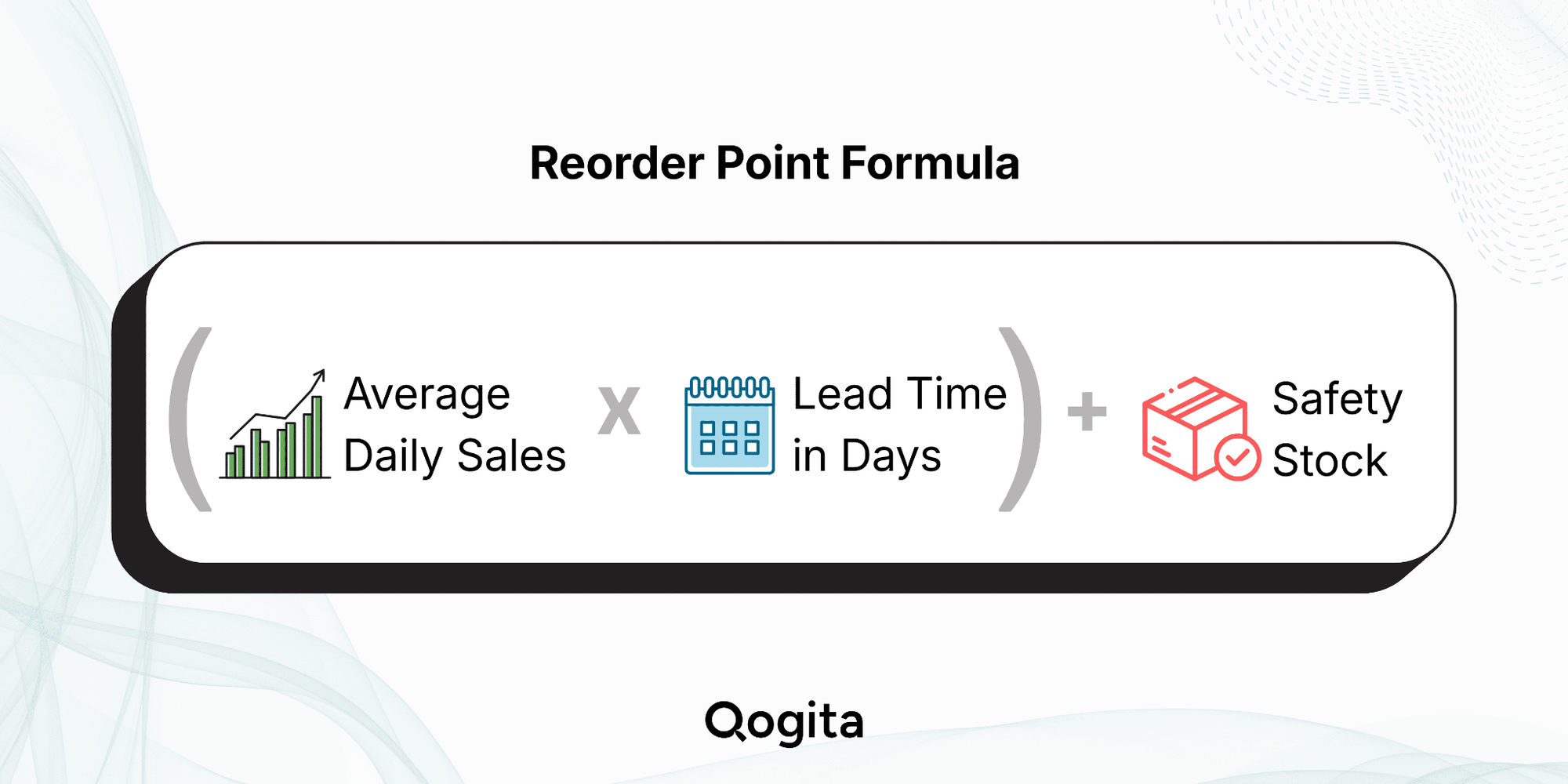
The reorder point formula has two main components. The first is demand during lead time, which tells you how much stock you will sell while waiting for your next delivery. The second is safety stock, which is a buffer that protects you if demand spikes or your supplier delivers late.
Let’s break down each part in detail:
Average Daily Sales
This is the average number of units you sell per day. You can calculate it by dividing total units sold over a set period by the number of days in that period:
Average Daily Sales = Total Units Sold / Number of Days
For example, if you sold 900 units over the last 90 days, your average daily sales figure is 10 units per day. Use a period that reflects your normal trading patterns. Avoid including weeks where you ran a flash sale or experienced a supply disruption, as these will skew the number.
Lead Time
Lead time is the number of days between placing a purchase order with your supplier and actually receiving the goods into your warehouse. This includes processing time on the supplier’s side, shipping, and customs clearance (for international suppliers).
If your lead time varies between 8 and 14 days depending on the shipment, use the average, but also factor the worst-case figure into your safety stock calculation (covered below).
Demand During Lead Time
Multiply your average daily sales by your lead time to find out how much stock you will sell while waiting for your next order:
Demand During Lead Time = Average Daily Sales x Lead Time (Days)
If you sell 10 units per day and your supplier takes 12 days, you will sell through 120 units before the delivery arrives. So you need at least 120 units in stock when you place the order, just to break even.
Safety Stock
Safety stock is the extra inventory you hold as a buffer against uncertainty. Demand does not always behave predictably, and suppliers do not always deliver on time. So safety stock is the gap between your expected situation and your worst-case scenario.
The most practical safety stock formula for retailers is:
Safety Stock = (Maximum Daily Sales x Maximum Lead Time) - (Average Daily Sales x Average Lead Time)
You need to calculate every figure using the examples shared in the next section before jumping straight to the reorder point formula.
How to Calculate Reorder Level
It’s very important to get the figures right. Even a single mistake when calculating the reorder point can lead to lost sales, reduced profits, and dissatisfied customers.
Use these reorder point examples to understand and make correct calculations:
Example 1: A UK Skincare Brand
Suppose you’re selling a vitamin C serum through your website and other online stores like Amazon.
- Average daily sales: 20 units
- Average lead time from your supplier: 10 days
- Maximum daily sales (during peak periods): 30 units
- Maximum lead time (worst-case supplier delay): 15 days
Step 1: Calculate demand during lead time
20 x 10 = 200 units
Step 2: Calculate safety stock
(30 x 15) - (20 x 10) = 450 - 200 = 250 units
Step 3: Calculate the reorder point
200 + 250 = 450 units
When your stock of the serum drops to 450 units, you need to place a new order. Even if demand picks up or your supplier runs slightly late, you will still have enough stock to keep selling without any interruption.
Example 2: A Wholesale Coffee Equipment Seller
Now suppose you distribute a premium coffee grinder to cafes and retailers in the UK.
- Average daily sales: 6 units
- Average lead time from your manufacturer: 20 days
- Maximum daily sales (pre-Christmas period): 10 units
- Maximum lead time: 28 days
Step 1: Calculate demand during lead time
6 x 20 = 120 units
Step 2: Calculate safety stock
(10 x 28) - (6 x 20) = 280 - 120 = 160 units
Step 3: Calculate the reorder point
120 + 160 = 280 units
This means you should place a new order when your inventory falls to 280 units.
By reordering at this point, you'll have enough stock to cover normal sales, potential demand spikes, and possible supplier delays without running out of inventory.
Reorder Point vs. Safety Stock: What Is the Difference?
These two terms often get used interchangeably, but they are not the same thing.
As previously mentioned, safety stock is the buffer you keep in reserve to protect against unexpected demand spikes or supplier delays. The reorder point, on the other hand, is the full trigger level that includes both the stock you will sell during the lead time and the safety buffer.
Here is a simple way to see the relationship between both concepts:
If your reorder point is 352 units and your safety stock is 202 units, that means you'll place an order when stock hits 352, and if everything goes to plan, you'll still have 202 units left when the delivery arrives.
Reorder Point vs. Economic Order Quantity (EOQ): What Is the Difference?
This question comes up regularly, and the confusion is understandable because both metrics relate to inventory ordering. But they answer completely different questions.
- The reorder point tells you when to place an order.
- The economic order quantity (EOQ) tells you how much to order at one time.
The EOQ formula weighs up two competing costs: the cost of placing a purchase order (admin, shipping, processing) and the cost of holding stock (warehouse space, insurance, tied-up capital). Finding the right balance between those two costs gives you your optimal order size.
EOQ = Square root of (2 x Annual Demand x Ordering Cost / Holding Cost Per Unit)
To see how the reorder point and EOQ work together, here is a simple example. Your reorder point for a product is 200 units. When stock drops to that number, you place an order. Your EOQ calculation tells you to order 500 units each time, because that is the quantity that minimises your total ordering and holding costs.
One thing worth knowing: your reorder point can sometimes be higher than your EOQ. If you carry heavy safety stock going into Christmas, you might trigger a reorder at 600 units even though your standard order size is only 400. That is completely normal.
Can You Calculate Reorder Point Without Safety Stock?
Yes, you can find the reorder level without safety stock, but only if your:
- Supplier lead time is consistent and reliable.
- Demand is stable and predictable.
- You are working with non-critical items where a short stockout is acceptable.
In this case, you can simplify the formula to:
Reorder Point = Average Daily Sales × Lead Time
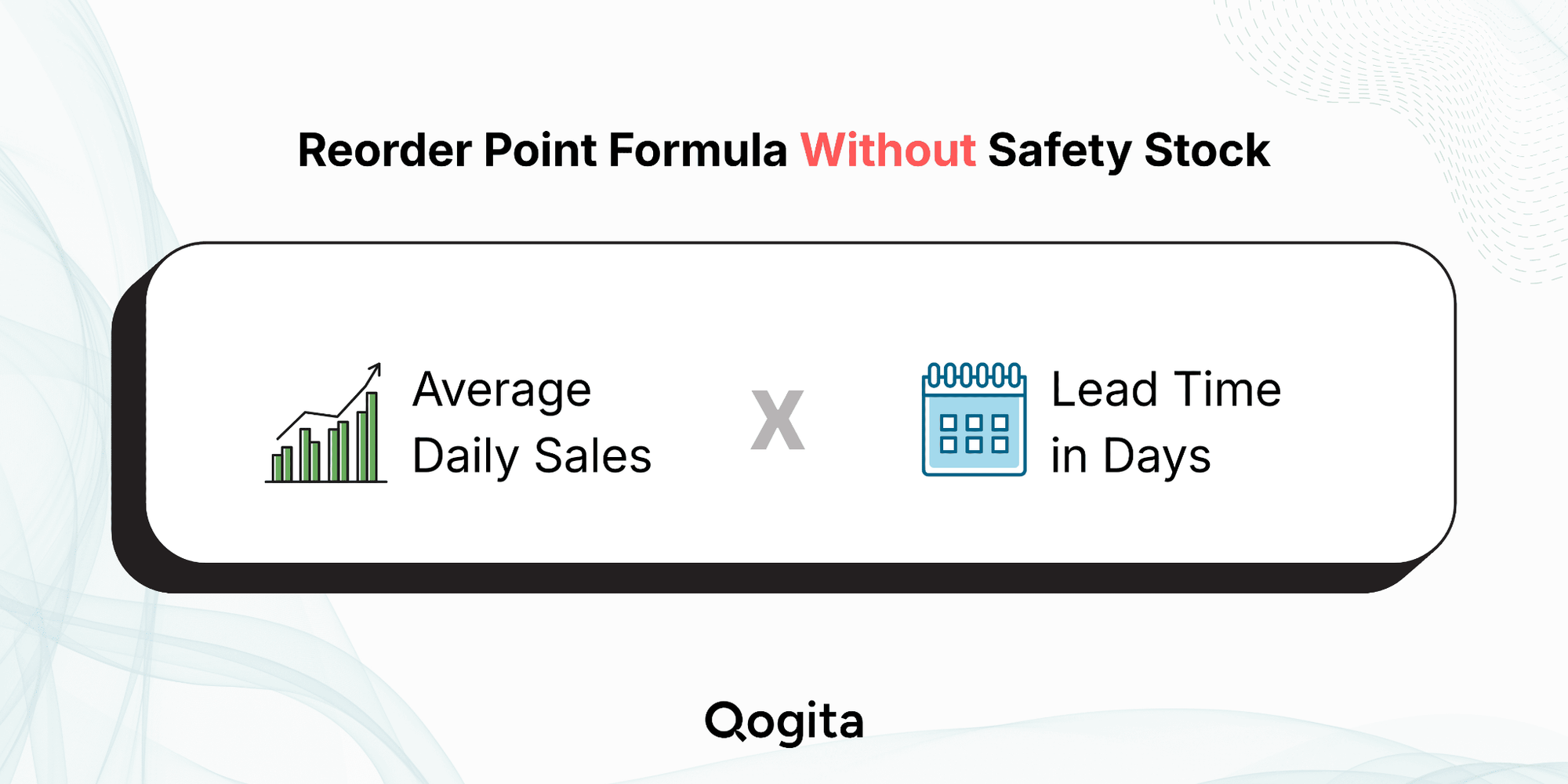
That said, most UK retailers are dealing with variable shipping times, international suppliers, and demand that shifts. In those cases, removing safety stock from the equation is a risk not worth taking. One delayed shipment and you are out of stock before the next delivery lands.
Adjusting Reorder Points for Seasonality
The standard ROP formula works fine when demand is predictable. But if you sell Christmas decorations, garden furniture, sunscreens, or school supplies, your demand in December looks nothing like it does in March.
Here is how to adjust the reorder point for seasonality:
- Recalculate before each peak: If you sold 50 units a day last November, do not use your annual average of 20 as your baseline going into this November.
- Increase your safety stock buffer: Demand can spike overnight during holidays, such as Black Friday and Christmas. A buffer that works in July will not be enough in December.
- Work backward from your deadline: If you need stock on shelves by 1 December and your supplier takes 30 days, you need to reorder by 1 November at the latest.
- Reduce safety stock in slow months: Holding Christmas-level buffer stock in January ties up cash you could use elsewhere.
Reorder Point for Multiple SKUs and Suppliers
Real-world inventory management rarely involves just one product from one supplier. If you manage hundreds of SKUs across multiple suppliers with different lead times, you need a reorder point for each product from each source.
Below are the key things to keep in mind when managing reorder points at scale:
Different suppliers have different lead times.
A UK-based supplier might deliver within 5 days, while a manufacturer in Southeast Asia may take 45 to 60 days. Each product-supplier combination needs its own calculation, because using the same reorder point for both would either leave you understocked or unnecessarily overstocked.
Not every product deserves the same level of precision.
This is where ABC analysis is useful. ABC analysis is a method of prioritising your inventory by splitting products into three categories:
- A items are high-value, fast-moving lines that generate most of your revenue
- B items are moderate in value and volume
- C items are low-value, slow-moving products
Once you have categorised your stock, focus your most precise reorder point management on your A items, and apply a more relaxed approach to your C items.
Using a Reorder Point Calculator
Manually calculating reorder points for a handful of products is straightforward. But for larger catalogues, you need something faster.
A good reorder point calculator, whether a spreadsheet or built into your inventory system, should:
- Pull your average daily sales from a set period.
- Log each supplier's lead time and update it when things change.
- Work out your safety stock based on your highest sales and longest lead time.
- Flag any product that has dropped to its reorder level.
Tools like Zoho Inventory or Cin7 Omni handle all of this automatically. If you are just starting out, a well-organised Excel sheet gets the job done too. Either way, the formula is only as good as the data behind it, so keep your sales figures and lead times up to date.
Inventory Reorder Point Notifications: Removing the Manual Work
Knowing your reorder point is only useful if you act on it at the right time. This is where inventory reorder point notifications become essential.
Modern inventory management systems allow you to set automated alerts that trigger when a product's stock level drops to its reorder point. These notifications arrive via:
- Email alerts to your purchasing or operations team
- Dashboard warnings within your inventory or ERP system
- Automated purchase order creation, which sends a draft PO to your supplier
The benefit of automated notifications is that they remove the need for daily manual stock checks. Your system does the monitoring and your team focuses on acting.
For multichannel sellers managing stock across your own website, Amazon, eBay, and wholesale, reorder point notifications are especially valuable because stock can deplete across multiple channels at the same time, sometimes faster than you expect.
Common Reorder Point Mistakes to Avoid
Even with the formula in hand, there are some common pitfalls that retailers fall into:
- Using outdated data. If your average daily sales figure is based on last year's data without accounting for business growth or changing product mix, your reorder point will be off. So review and update regularly.
- Ignoring lead time variability. Treating lead time as a fixed number when it actually varies significantly is one of the biggest causes of stockouts. If your supplier sometimes takes 7 days and sometimes 21, your safety stock needs to reflect that range.
- Setting and forgetting. Reorder points aren't a one-time calculation. As your business grows, as suppliers change, and as seasons shift, your reorder levels need to be updated accordingly.
- Not accounting for minimum order quantities. If your supplier requires a minimum order of 500 units but your EOQ suggests 200, your reorder point calculation may need adjusting to align with how you actually place orders.
- Treating all SKUs equally. Not every product deserves the same level of precision. Focus your most rigorous reorder point management on your highest-value and fastest-moving lines.
Conclusion
The reorder point is not just a formula. It is the difference between a business that runs smoothly and one that is constantly firefighting stock issues.
Get it right, and you will always have the right products available at the right time, without locking up more cash than necessary. But if you get it wrong, you are either losing sales to stockouts or bleeding money on storage you did not need.
The key is treating it as a living number, not a one-time calculation. As your sales grow, your suppliers change, and seasons shift, your reorder points need to shift with them.
Stay on top of that, and inventory management stops being your biggest headache and starts becoming one of your strongest operational advantages.
Reorder Point FAQs
What is a reorder point in inventory management?
A reorder point is the stock quantity at which you need to place a new purchase order with your supplier. It accounts for how long your supplier takes to deliver and how much stock you will sell during that time, plus a safety buffer for unexpected variability.
What is the reorder point formula?
The formula is: ROP = (Average Daily Sales x Lead Time in Days) + Safety Stock.
Safety stock is calculated as: (Maximum Daily Sales x Maximum Lead Time) - (Average Daily Sales x Average Lead Time).
How do you calculate reorder level?
Multiply your average daily sales by your supplier’s lead time to find demand during the lead time period. Then add your safety stock figure. The total is your reorder level for that product.
Is reorder point the same as safety stock?
No. Safety stock is one input into the reorder point formula. It is the buffer you hold to absorb unexpected demand or supplier delays. The reorder point is the full trigger level that includes both the expected demand during lead time and the safety stock.
How often should I recalculate my reorder point?
Review reorder points at least quarterly, and always before a major seasonal peak. Any noticeable change in demand trends, supplier lead times, or product mix should prompt an immediate update.
Is it advisable to calculate reorder point without safety stock?
You can calculate using the formula: ROP = Average Daily Sales x Lead Time. However, it is not advisable for most retailers, because even one late delivery or an unexpected spike in demand will leave you out of stock with no buffer to fall back on.
What is a good inventory reorder point?
A good ROP is one that covers your demand during lead time plus a safety buffer for unexpected delays or spikes. There is no specific number, as it depends completely on how fast you sell and how reliable your supplier is.